
Website audits in minutes. Your brand, not ours.
Paste any website. AuditBolt checks it and gives you a plain-English report with your logo, your colors and your booking link. Send it to a prospect or a client and start the conversation.
Free trial. No credit card. Invite-only while we're in early access.
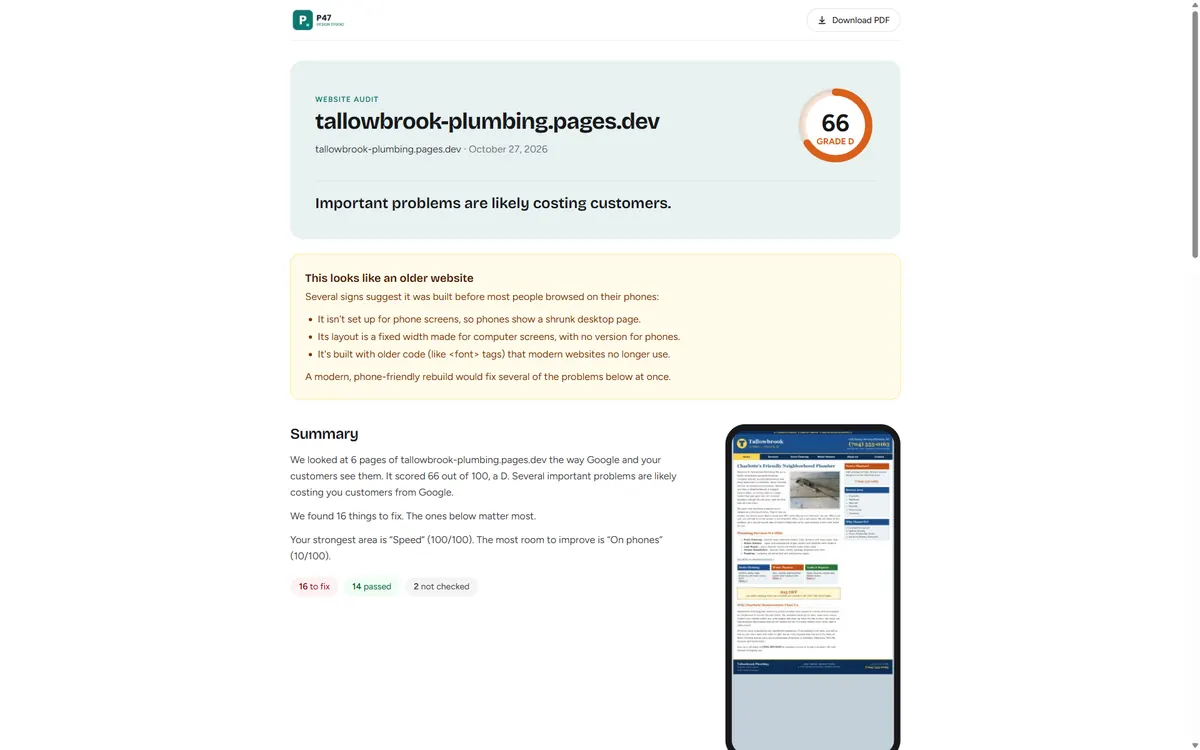
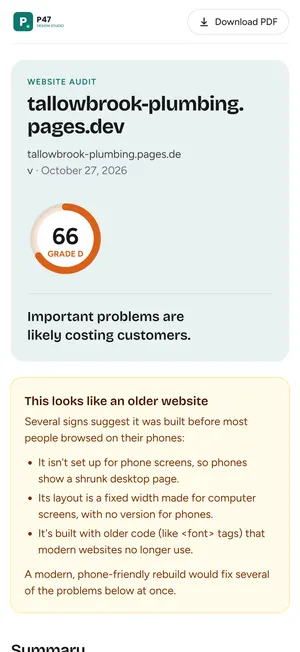
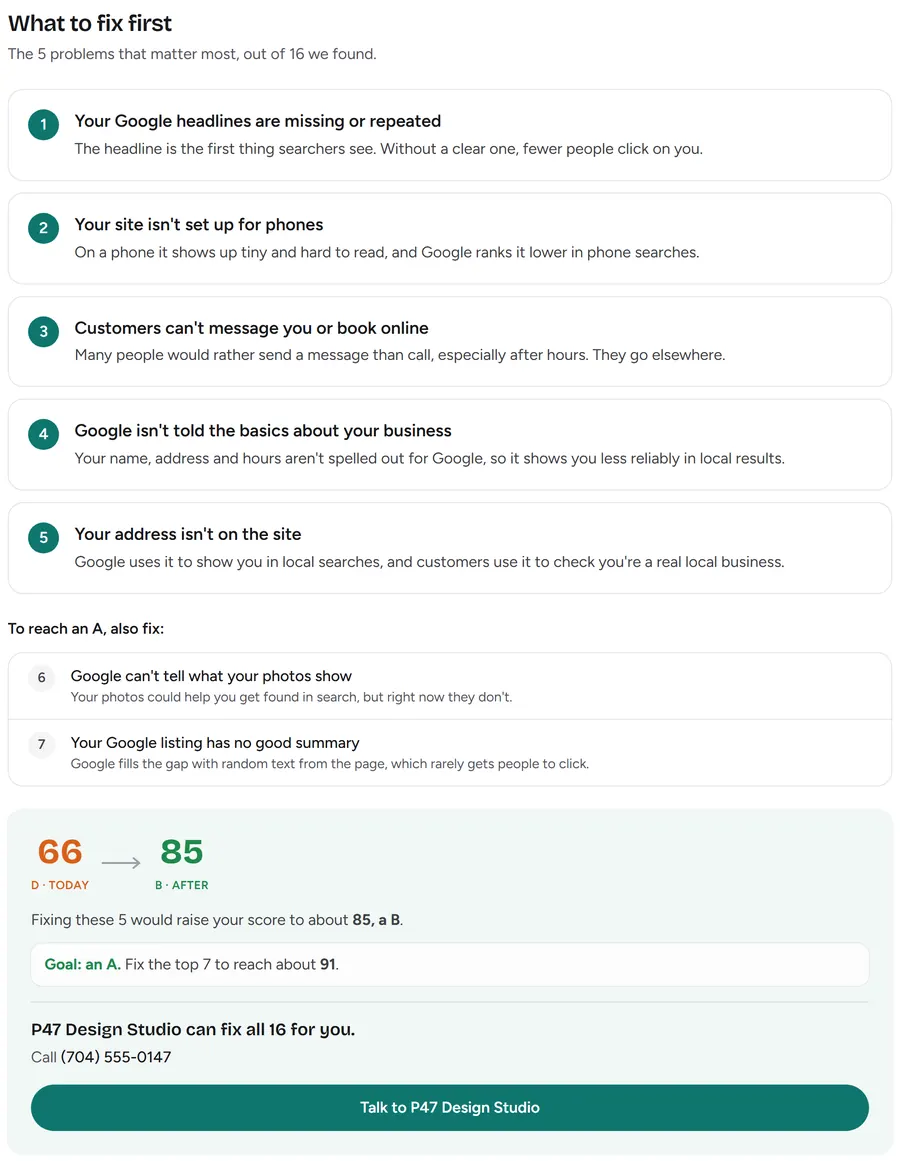
66/100 · Grade D
Goal: an A. Fix the top 7 to reach about 91.
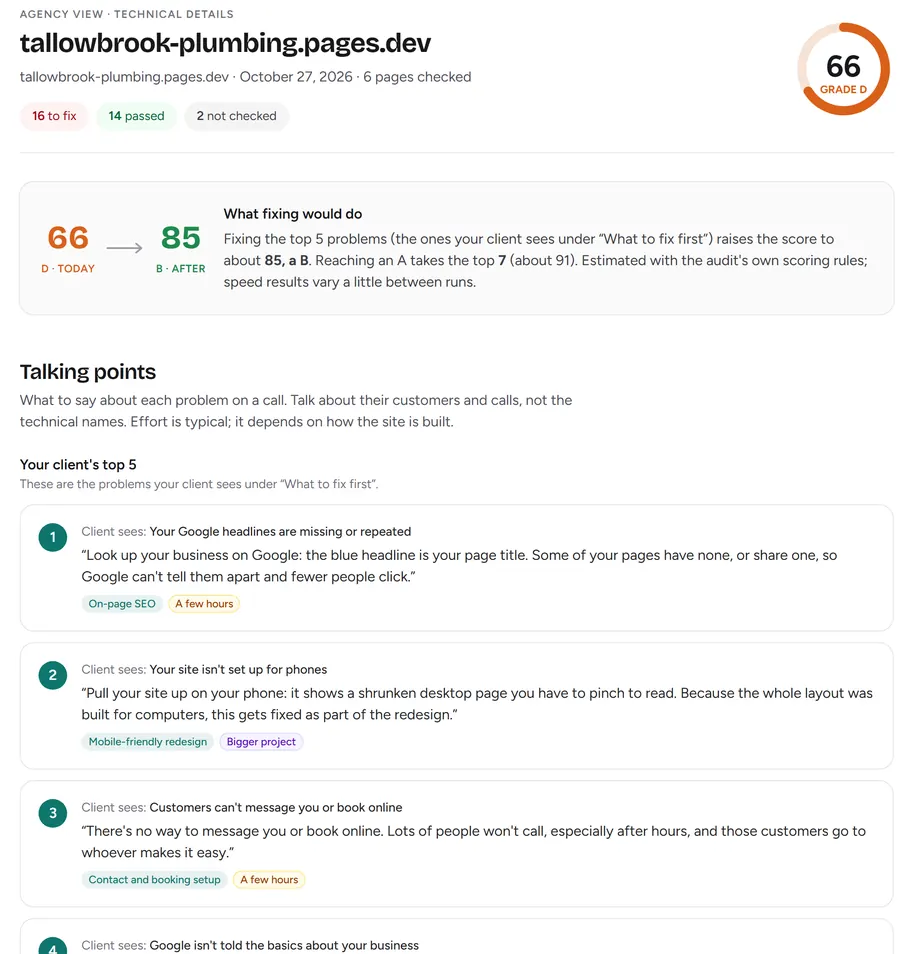
✕ 16 to fix✓ 14 passed
Audits should win clients, not eat your evenings.
-
01
Manual audits are slow.
Clicking through a site and writing it up takes hours you could spend selling or doing paid work.
-
02
Most audit reports confuse business owners.
Pages of technical terms make a plumber's eyes glaze over. They don't see the problem, so they don't hire you.
-
03
Other tools put their brand on your report.
Your prospect sees someone else's logo and starts wondering why they need you.
Three steps. A few minutes.
-
Step 1
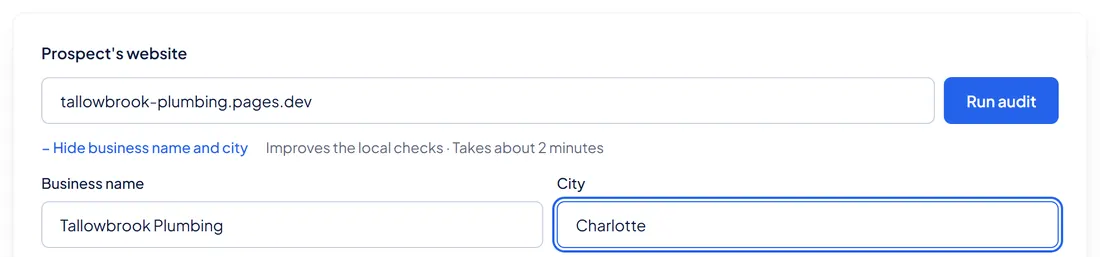
Paste a website.
Type in a prospect's or client's web address. Add their business name and city if you like.
-
Step 2
AuditBolt checks it.
We look through up to 100 pages and run more than 30 checks: local search, page content, technical setup, speed, phones and AI search. You get a score out of 100 and a grade from A to F.

-
Step 3
Send your branded report.
Share a link or download a PDF. It carries your logo, colors, phone and booking button. Our name is nowhere on it.
Set up your brand once. Every report after that is ready to send.
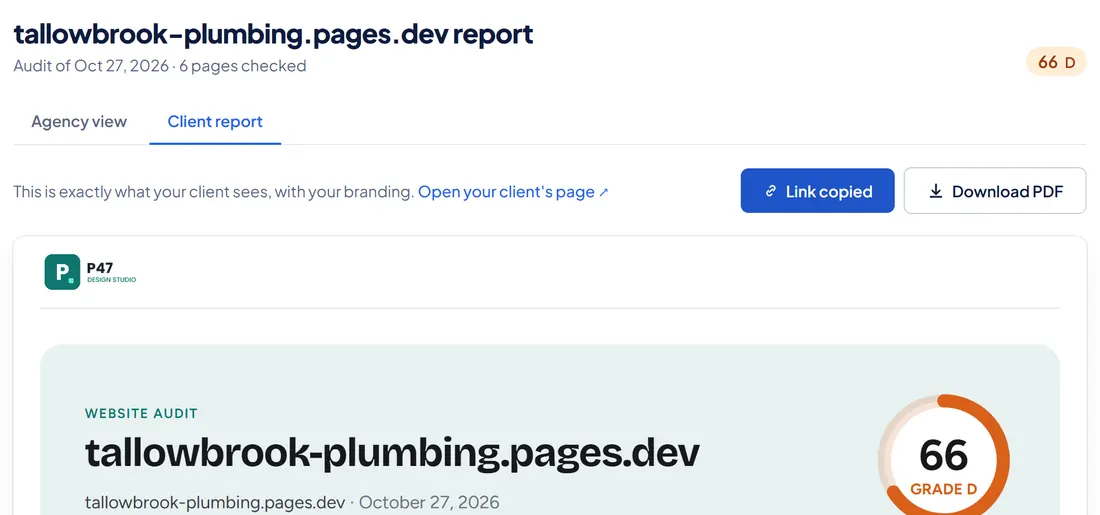
One audit. Two reports.
Client report
- Who reads it
- The business owner
- Written in
- Plain English
- What it shows
- Score and grade, the top 5 fixes, the score after fixing them, scores by area, a phone screenshot, your contact button
- What helps you sell
- A clear goal: "Fix these 7 to reach an A"
- How you share it
- Link or PDF, with your brand
Agency view
- Who reads it
- You and your team
- Written in
- Technical detail
- What it shows
- Every check with the reason, how to fix it, the pages affected and the measured value
- What helps you sell
- Talking points for your call and the problems grouped by the service you'd sell
- How you share it
- Inside your dashboard only
Run it again later and the report shows progress: the old score, the new score and what got fixed.
Win new clients. Keep the ones you have.
Win new clients.
Audit a business before you reach out. Send the report with a short note: here's what's holding your site back, and here's how we'd fix it. You start the conversation with proof, not a pitch.
Keep the clients you have.
Re-audit every month or quarter. The progress section shows the score going up and the fixes you made. Your client sees your work in black and white, and you spot the next job to offer.
Your logo. Your report. Your client.
Every report carries your agency's name, logo, brand color, phone, email, website and booking link. AuditBolt never appears on it, not on the page and not in the PDF. To your client, it's your audit.
- Set up your brand once, with a live preview as you type.
- The contact button in every report goes to your booking page.
- Share links open without a login, so your client sees the report in one click.
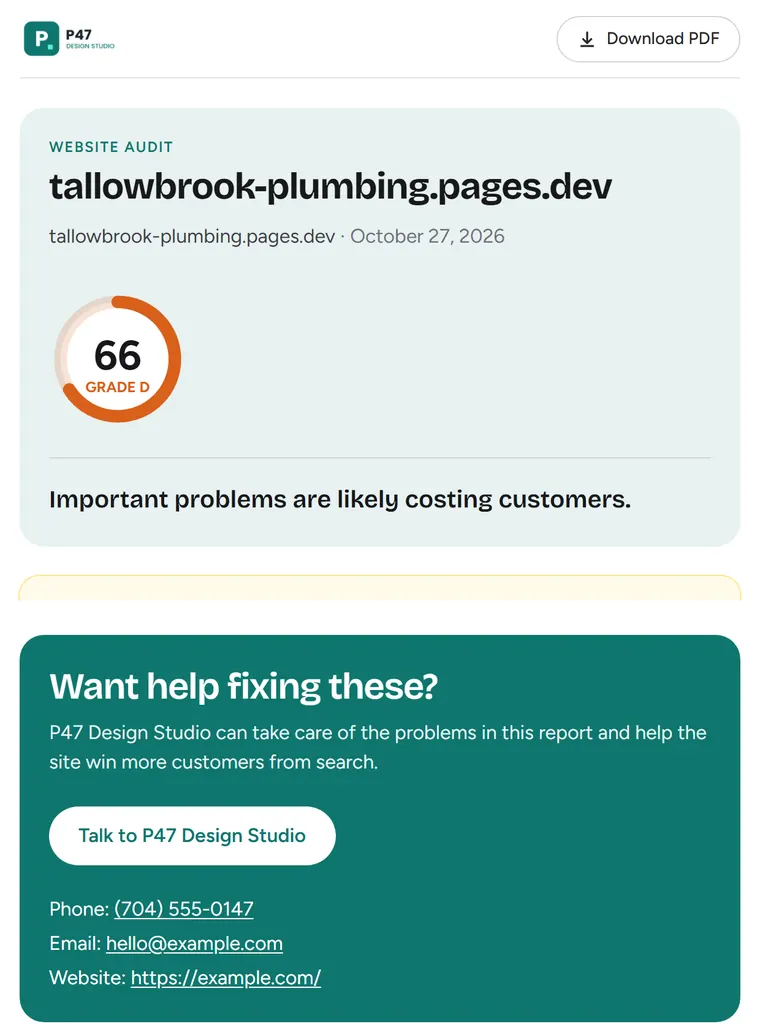
Same report, teal brand
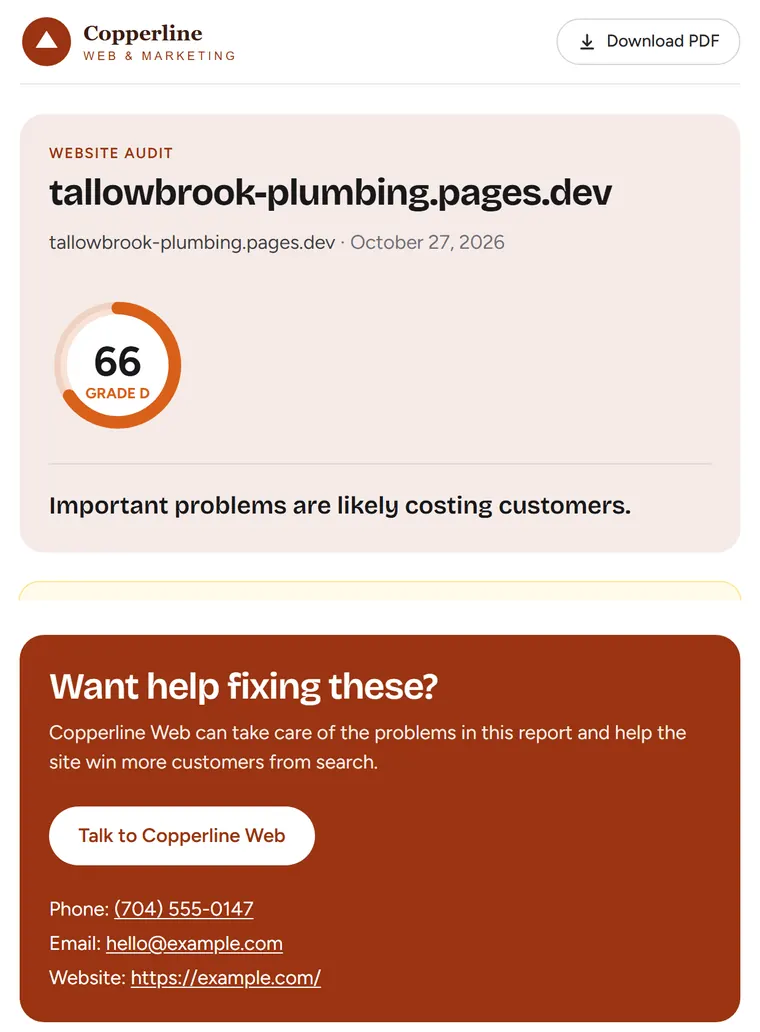
Same report, copper brand
Reports your clients can trust.
- Every problem is real and checkable.
- We look at the site itself and use Google's free speed test. Each problem says why it matters and how to fix it.
- No promises we can't keep.
- Reports never promise rankings, traffic or sales. Score changes are shown as estimates.
- Worst problems first.
- Fixes are ranked by how much they help, so your client knows where to start.
Built for small agencies and freelancers.
- Web design studios that want a reason to talk to businesses with dated websites.
- SEO and local marketing agencies that need a fast first audit before every sales call.
- Freelancers who want to look like a bigger team, without paying for a big tool.
Your clients can be in any industry: plumbers, dentists, restaurants, shops, clinics.
Questions agencies ask.
How long does an audit take?
A few minutes. Your dashboard updates on its own while it runs.
Will my client see the AuditBolt name?
No. Client reports and PDFs carry only your brand.
What does the trial include?
14 days and 10 audits, with every feature. No credit card.
How much does it cost after the trial?
We're setting prices with our first agencies now. Trial users hear first, and nobody is charged without saying yes.
Can I audit any website?
Yes, any public website, in any industry. We check up to 100 pages.
Does it promise my client better rankings?
No. It shows real problems and how to fix them. Nobody can honestly promise rankings, so we don't.
Is it in other languages?
Not yet. The app and reports are in English.
Send your first branded audit this week.
We're letting in a small group of agencies first. Tell us a little about yours and we'll send your invite.
Request sent
Thanks. We'll email your invite within 2 business days.